WordPress recently released its first official browser extension, available for Chrome and other Chromium-based browsers as well as Safari on Mac. It’s a small tool, but if you manage a WordPress site yourself, even just logging in occasionally to update a page or write a post, it’s worth knowing about.
The problem it’s solving
If you’ve logged into your own WordPress site, you’ve seen that dark bar that sits across the top of every page while you’re signed in, the one with quick links to your dashboard, your profile, and your editor. It’s handy, but it also gets in the way sometimes: it eats up screen space, and on sites with things like sticky headers or scrolling effects, it can make the page behave slightly different than it would for an actual visitor.
Up until now, your only real option was to switch it off entirely in your profile settings, which also meant losing those quick shortcuts along with it.
What the extension changes
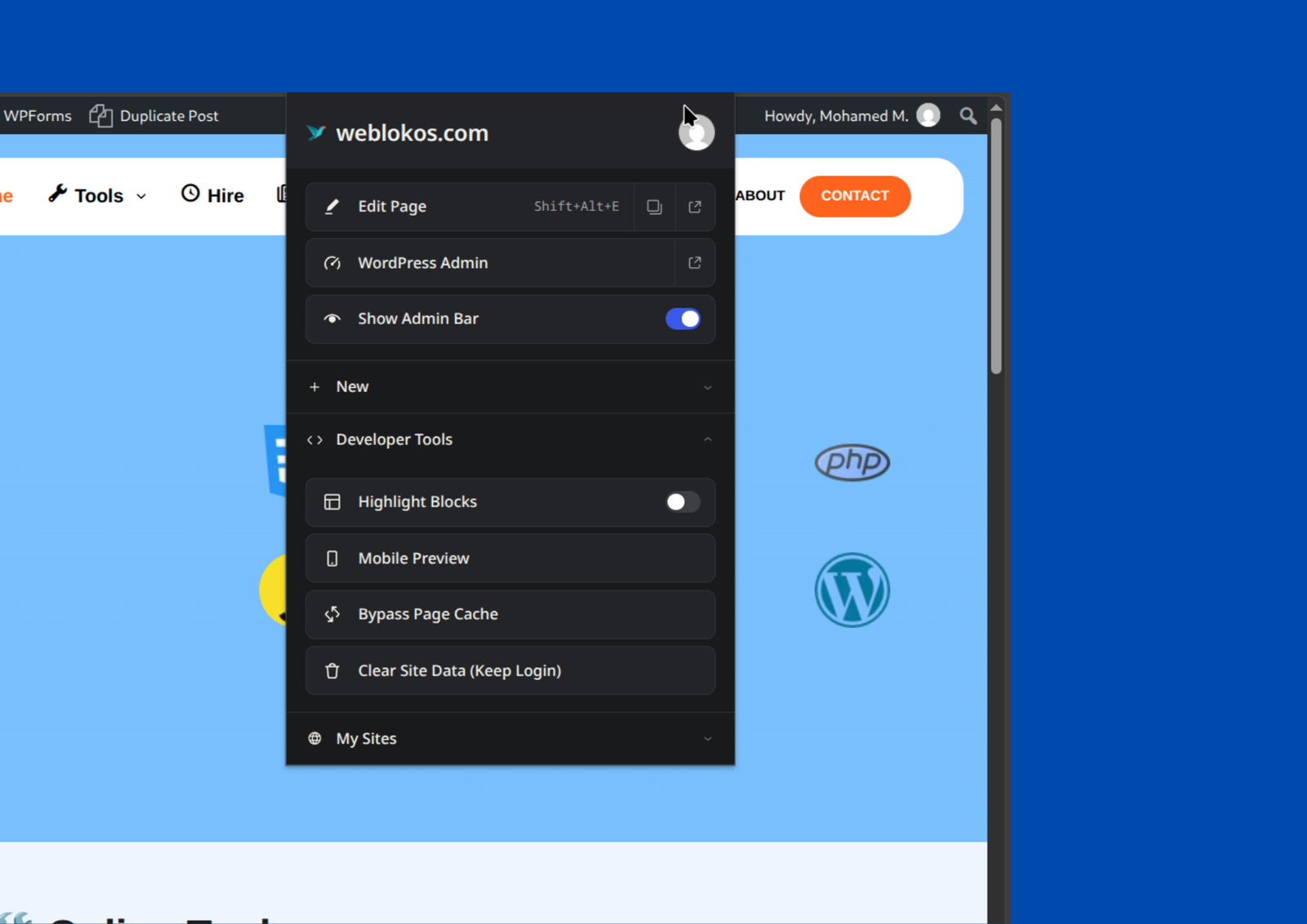
The new extension lets you hide that admin bar with a click, while keeping the useful shortcuts available from your browser’s toolbar instead. Bringing the bar back takes two clicks, no dashboard trip required.
Beyond that, it adds a few genuinely convenient extras:
- It recognizes when a site you’re visiting runs WordPress, and shows whether you’re currently logged in.
- On your own sites, it gives you a one-click shortcut straight to editing whatever page, post, or template you’re currently looking at.
- It remembers the WordPress sites you log into, so if you manage more than one site, you can switch between them without hunting down each login page.
- For anyone a little more hands-on with design or content, it includes small tools like previewing a page at mobile size or clearing cached data for the site you’re viewing.
Should you actually install it?
If you log into your WordPress site more than once in a while, it’s a genuinely useful convenience, made by the WordPress team itself, and it doesn’t send your data anywhere or track anything; everything it does happens locally in your own browser.
It’s not going to change how your website functions for visitors, and it’s not something you need in order to run a successful site. It just makes the experience of managing one a little smoother, especially if you’re juggling more than one WordPress site at a time.