
If your store serves people in a specific area, whether that’s a shop with an online version, or a business that delivers within your city, WooCommerce local SEO can bring in customers who are already close by and ready to buy. These are the people searching “near me” or “[product] in [your city].”
If you ship nationwide and there’s no local angle to your business, this isn’t your main lever, and that’s fine. But if location matters to how you sell, the steps below are where most of the results usually come from.
1. What “local” means for your store
It helps to be clear about which of these you are, because it changes what you focus on:
- A physical shop with an online store. People can visit you, so your address and opening hours matter a lot.
- A local delivery business. You don’t have a shopfront customers walk into, but you serve specific towns or postcodes.
- Click-and-collect only. Orders are placed online and picked up at a set location.
You can be more than one of these. Just know which ones apply to you before you start, because it shapes the pages and information you’ll create.
2. Your Google Business Profile
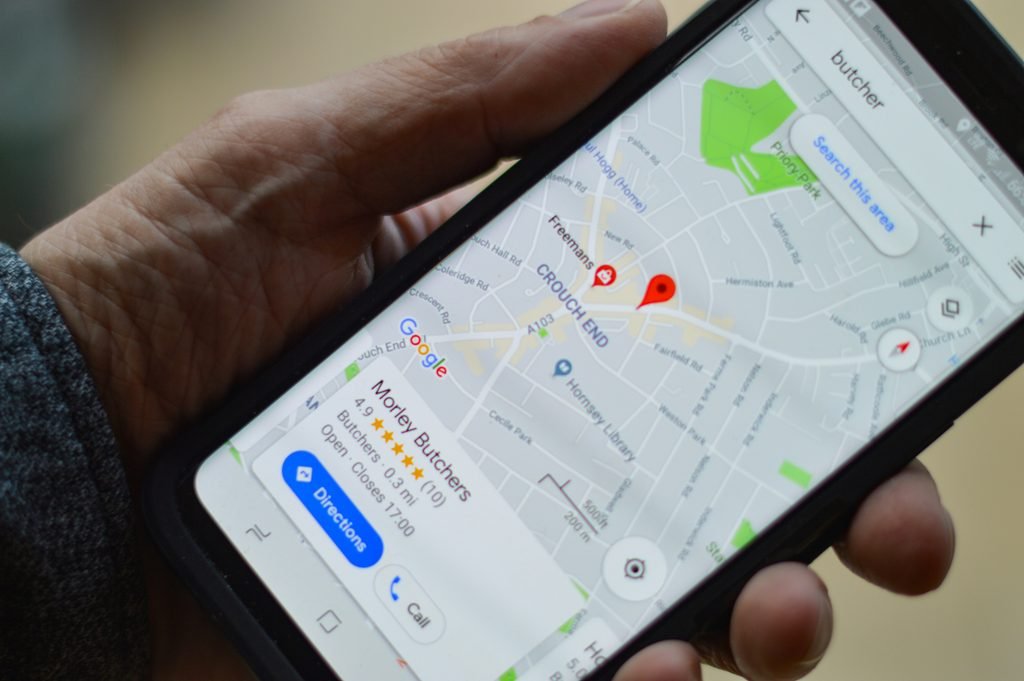
A Google Business Profile is the free listing that shows your business in Google Maps and in the map results at the top of local searches. For most local stores, it’s the single most useful thing on this list.
Claim or create yours, then fill it in properly: pick the category that best matches what you sell (and add a few secondary ones if they genuinely apply), add accurate opening hours, upload real photos, and link to your store. Google usually asks you to verify that the business is really yours, which can take anywhere from a few days to a couple of weeks depending on the method.
If you don’t have a public address (for example, you work from home), you can usually set the profile to show a service area instead.
3. Make your business details match everywhere
Your name, address and phone number should be written the same way on your website, your Google profile, your social pages and any directories you’re listed in.
In WooCommerce, check the store address under WooCommerce → Settings → General, because it shows up on order emails and invoices. Then check your footer and contact page.
4. Add local business schema
Schema is behind-the-scenes labelling on your site that tells search engines things like “this is a store, here’s its address, and here are its opening hours.” Visitors don’t see it, but Google can read it. WooCommerce already adds product information for you, but business details like location are usually something you add yourself.
Many SEO plugins can do this, including Rank Math and Yoast’s local add-on, though some of these features sit behind a paid version. Fill in your business details once and the plugin generates the labelling for you. You don’t need to write any code.
5. Build a few genuinely useful local pages
If you serve more than one area, a page for each one can help, but only if it’s useful. A page for a town you deliver to, with delivery times, a map, local pickup details and links to your most popular products there. Twenty near-identical pages where only the city name changes usually aren’t, and they can look spam to search engines.
6. Collect and answer reviews
Reviews on your Google profile are a big part of how local businesses get chosen, both by search engines and by people. Asking happy customers to leave one, for example in your order confirmation or a follow-up email, and reply to the ones you get, including the critical ones, politely and briefly.
Avoid paying for reviews or fake ones, which can get a listing penalized and removed.
7. Make “local” obvious section in your store
Local shoppers want to know quickly whether you can get the product to them. WooCommerce has a local pickup option under its shipping settings, and it’s worth using if you offer collection. Also spell out your delivery areas and typical delivery times on product pages, or at least in the cart and checkout.
8. Don’t skip the basics
Most local searches happen on phones, so your store needs to load reasonably fast and work well on a small screen. It also needs a checkout that actually works. Local SEO can bring people to your door, but a broken page wastes all of it.
Local rankings usually take somewhere between a few weeks and a few months to show results, how long it takes depends heavily on how many competitors are in your area and what you sell.
If you’d like help with the technical parts, such as setting up local business schema, creating location pages, or configuring pickup and delivery in WooCommerce, that’s what my WooCommerce developer service handles regularly. I can look at your store and tell you what’s worth doing first.